 eGig
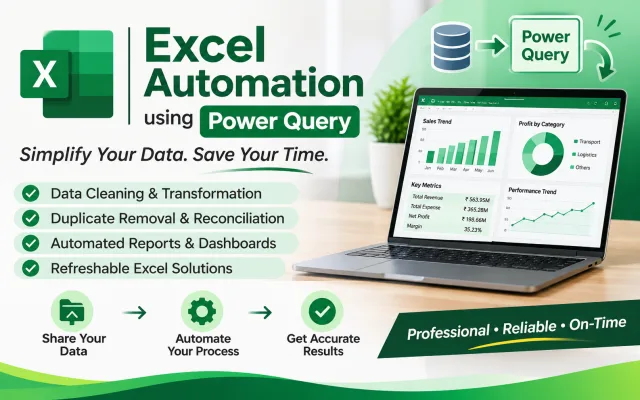
I will automate Excel reports using Power Query and simplify data processing

Shruti Tiware Patil
Excel & Power Query Automation | MIS Reporting | Power BI Dashboards
Includes:
- Excel data cleaning and formatting
- Duplicate removal and missing-value handling
- Power Query data transformation
- Combining and merging multiple Excel files
- Data matching and reconciliation
- Refreshable Excel reporting solution
- Final organized Excel workbook
Process:
Step 1: Share Your Data
Client shares Excel files and explains the required output.
Step 2: Review the Data
I check the data structure, columns, errors, and requirements.
Step 3: Data Processing
I clean, transform, merge, or reconcile the data using Excel and Power Query.
Step 4: Quality Check
I verify the output and check for missing or mismatched records.
Step 5: Final Delivery
I deliver the completed Excel workbook with the agreed solution and instructions for refreshing it, where applicable.
Tools I Use:
- Microsoft Excel
- Power Query
- Microsoft Power Pivot (where required)
My Previous Work
Project 1: Monthly Ledger Reconciliation
Developed an Excel and Power Query workflow to compare monthly memo data with ledger records. The solution identifies matched records, unmatched entries, and amount differences, with monthly matching history.
Project 2: Transport Data Reporting
Developed a Power BI dashboard using transport tripsheet data to analyze freight, expenses, profitability, vehicle performance, and trip exceptions.
Project 3: Excel MIS Reporting
Worked on structured Excel reporting and data processing workflows to simplify repetitive reporting tasks and organize business data.
Results: Improved reporting structure, reduced repetitive manual processing, and made data checking easier.
- Excel data cleaning and formatting
- Duplicate removal and missing-value handling
- Power Query data transformation
- Combining and merging multiple Excel files
- Data matching and reconciliation
- Refreshable Excel reporting solution
- Final organized Excel workbook
Process:
Step 1: Share Your Data
Client shares Excel files and explains the required output.
Step 2: Review the Data
I check the data structure, columns, errors, and requirements.
Step 3: Data Processing
I clean, transform, merge, or reconcile the data using Excel and Power Query.
Step 4: Quality Check
I verify the output and check for missing or mismatched records.
Step 5: Final Delivery
I deliver the completed Excel workbook with the agreed solution and instructions for refreshing it, where applicable.
Tools I Use:
- Microsoft Excel
- Power Query
- Microsoft Power Pivot (where required)
My Previous Work
Project 1: Monthly Ledger Reconciliation
Developed an Excel and Power Query workflow to compare monthly memo data with ledger records. The solution identifies matched records, unmatched entries, and amount differences, with monthly matching history.
Project 2: Transport Data Reporting
Developed a Power BI dashboard using transport tripsheet data to analyze freight, expenses, profitability, vehicle performance, and trip exceptions.
Project 3: Excel MIS Reporting
Worked on structured Excel reporting and data processing workflows to simplify repetitive reporting tasks and organize business data.
Results: Improved reporting structure, reduced repetitive manual processing, and made data checking easier.
What I need from you
Please provide the following before I start:
1. Upload your Excel or CSV file(s).
2. Explain your main requirement (data cleaning, formatting, reconciliation, or automation).
3. Specify the expected final output or report format.
4. If matching multiple files, explain which columns should be used for matching.
5. Share any specific rules, formulas, or instructions I should follow.
Note: Please provide sample data with column headers and ensure that sensitive or confidential information is removed wherever possible.
1. Upload your Excel or CSV file(s).
2. Explain your main requirement (data cleaning, formatting, reconciliation, or automation).
3. Specify the expected final output or report format.
4. If matching multiple files, explain which columns should be used for matching.
5. Share any specific rules, formulas, or instructions I should follow.
Note: Please provide sample data with column headers and ensure that sensitive or confidential information is removed wherever possible.
Questions and answers
What type of files do you accept?
I accept Microsoft Excel (.xlsx, .xls) and CSV files. Please share your files with clear column headers and explain your requirements.
Can you clean and organize large Excel datasets?
Yes. I can clean, format, remove duplicates, handle missing values, and organize datasets according to the selected package limits.
Can you match data from multiple Excel files?
Yes. I can compare and merge multiple Excel files, identify matched and unmatched records, and prepare difference reports using Power Query.
Reviews
No reviews yet.